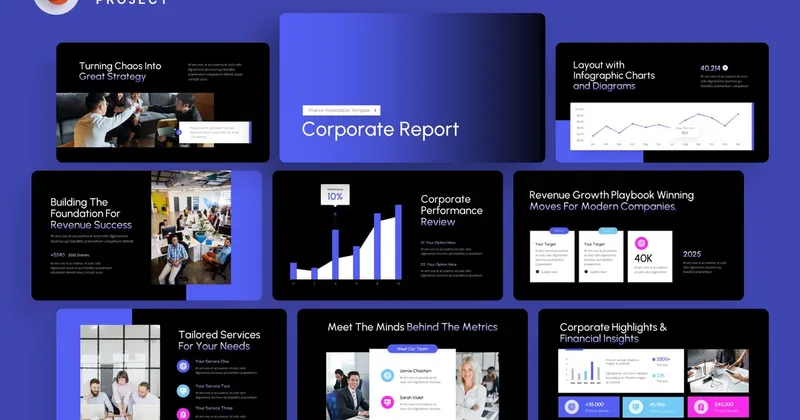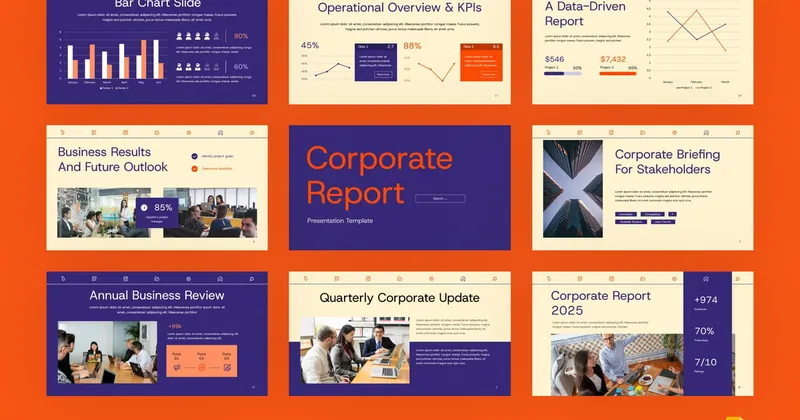
Corporate Deck PowerPoint Template
Looking for a polished, ready-to-use presentation template? The Corporate Deck PowerPoint Template is designed specifically for enterprise-level presentations, internal communications, and stakeholder updates. Whether you are pitching a new idea, presenting quarterly results, or training a team, this template gives you a professional foundation without starting from scratch.

About the Corporate PowerPoint Template
Built for Microsoft PowerPoint (.pptx for Windows and macOS), Apple Keynote, Google Slides, WPS Office, and LibreOffice Impress, every element in this deck is fully editable – change colors to match your brand, swap out images, and rearrange slides to fit your story. The source file works natively in PowerPoint, and can be opened and edited in Microsoft PowerPoint (Windows and macOS), Apple Keynote, Google Slides, WPS Office, or LibreOffice Impress. The template includes modern typography, balanced layouts, and pre-designed data visualization components that work for any industry.
With a clean, modern design language, this template works for both in-person meetings and virtual presentations. Every slide has been designed with visual hierarchy in mind, so your audience stays focused on your message, not the design.
Key Features of the Corporate PowerPoint Template
- Fully editable in PowerPoint
- Works in Microsoft PowerPoint (Windows and macOS), Apple Keynote, Google Slides, WPS Office, and LibreOffice Impress
- 30+ unique slides covering all key sections
- Master slide layouts for content, charts, team, and timeline pages
- Vector icon library with 100+ editable icons
- Data visualization templates (charts, graphs, tables)
- 16:9 widescreen format, optimized for modern displays and projectors
- Documentation and quick-start guide included
What's Included in the Download
- PowerPoint source file
- Documentation PDF with usage instructions
- Web fonts (Google Fonts integration)
- 24/7 support from the original designer
How to Use This Corporate PowerPoint Template
- Download the source file using the button below (requires an subscription).
- Open the file in PowerPoint on your desktop.
- Replace placeholder text, images, and charts with your own content.
- Adjust the color palette to match your brand identity (one-click color change on most templates).
- Export as PDF or PPTX, or present directly from the source file.
Who Should Use This Corporate PowerPoint Template?
The Corporate Deck PowerPoint template is ideal for enterprise-level presentations, internal communications, and stakeholder updates. It is designed for professionals, educators, and creatives who need a polished starting point. If you regularly present to clients, investors, students, or internal teams, this template will save you hours of design work.
Looking for more options? View corporate presentation templates to find templates that match your specific industry and style.
Frequently Asked Questions About the Corporate PowerPoint Template
- What software do I need to edit the Corporate Deck PowerPoint template?
You need PowerPoint to fully edit this template. The download works natively in PowerPoint and the source .pptx file can also be opened and edited in Microsoft PowerPoint (Windows and macOS), Apple Keynote, Google Slides, WPS Office, and LibreOffice Impress. No special plugins or additional software are required. - Can I use the Corporate Deck PowerPoint template on Mac (macOS)?
Yes. The template works in PowerPoint for Mac (2016 and later) without any conversion. If you prefer Apple Keynote, the .pptx file can be opened and edited natively – just open it directly in Keynote and save back to .pptx when done. - Can I use the Corporate Deck PowerPoint for commercial projects?
Yes. When you download this template through the partner platform, you get a commercial license that allows you to use it in unlimited client projects, presentations, and published works. - Is the Corporate Deck PowerPoint template compatible with Google Slides and WPS Office?
Yes. The .pptx source file uploads to Google Slides with most formatting preserved. WPS Office (the popular free office suite) opens .pptx files natively, so the template works seamlessly on WPS for Windows, macOS, Linux, and mobile. - Can I open the Corporate Deck PowerPoint in LibreOffice Impress?
Yes. The .pptx source file opens in LibreOffice Impress for free on Windows, macOS, and Linux. Most layouts, master slides, charts, and tables work as designed. A small number of advanced PowerPoint transitions and certain font effects may render slightly differently, but the template is fully usable. LibreOffice Impress is a great free option for Linux users and anyone avoiding subscription software. - How do I change the colors in the Corporate Deck PowerPoint template?
Open the master slide view in PowerPoint and edit the theme colors. Most templates also include a ‘Color Scheme’ slide that lets you change all accent colors in one place. For brand-specific palettes, use the ‘Find and Replace’ color tool to update all instances at once.
Download the Corporate PowerPoint Template
Ready to use this template in your next presentation? Click the button below to download the full source file from our curated collection. The download includes all editable files, icons, and documentation.
Affiliate links. See our disclosure.
The full Corporate Deck PowerPoint Template source file is included with a single subscription that gives you unlimited downloads of all PowerPoint, Keynote, Google Slides, WPS, and LibreOffice files.
Get this template →Related Templates
More from the Corporate PowerPoint Templates category